
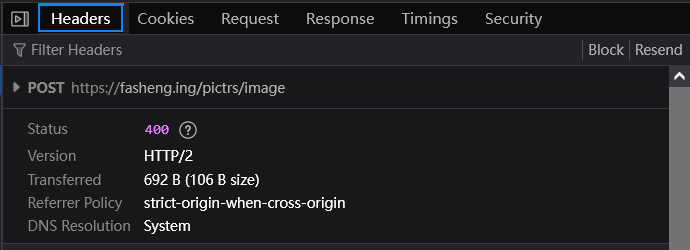
When uploading an avatar in Lemmy, the following error appears in the bottom left corner:

Error Message
Browser error message:
{"data":{"error":"unknown","message":"error decoding response body: EOF while parsing a value at line 1 column 0"},"state":"success"}
Response status code: 400
Cause of the Problem
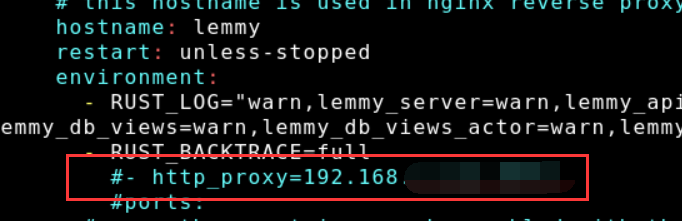
Based on the error message, it is speculated to be a network issue. Upon inspecting the docker-compose configuration, a http proxy testing configuration added a few days ago was discovered. After removing the proxy, the image upload worked normally.
Solutions
Quick Fix: Repair the Network
If there is a network proxy, simply repairing the network connection should resolve the issue.
Perfect Solution: Optimize Network Proxy Configuration
A network proxy can hide the real request IP of the server. Without losing the proxy, local services affected can be excluded using no_proxy.
The final network proxy configuration in docker-compose.yml is as follows:
environment:
      - http_proxy=192.168.x.x:xxxx
      - no_proxy="lemmy,localhost,127.0.0.1,postgres,pictrs,0.0.0.0"
You must log in or # to comment.